As an Amazon Associate, we earn from qualifying purchases. Some links on this site are affiliate links at no extra cost to you. Our recommendations are based on thorough research and editorial judgment.


How Adjustable Sensitivity Improved Helmet Performance Across Processes

You flip down your welding helmet and the lens either stays too bright to see the arc clearly or slams dark from sunlight, leaving you guessing whether the arc actually struck.
You may be interested


You’ve stood there, tapping the sensitivity dial and wondering which setting will stop false triggers without missing weak TIG starts.
Most welders blame the helmet or assume one sensitivity works for every job. This piece shows you exactly how to match sensitivity, delay, and presets to specific processes so arcs trigger reliably and the lens avoids false darkening.
You’ll get clear setups for high‑amp stick and plasma, low‑amp TIG and tack starts, plus simple testing steps. It’s easier than it looks.
Key Takeaways
If you’ve ever struggled with dark TIG arcs not triggering your lens, this is why.
Why it matters: missed darkening can leave your eyes unprotected during low-amperage work.
Example: when TIG welding a 1/8″ stainless tube at 15–30 A for a root pass, the arc is dim and small but still dangerous.
1) Detecting dim TIG arcs reliably
- Set sensitivity to a higher setting (often 7–10 on most auto-dark lenses) when you run TIG under ~50 A so the sensor picks up the faint arc.
- Position sensors toward the joint, not straight ahead, if you’re doing tight-groove work; that keeps the lens from missing the arc.
- Real-world check: weld a 1/8″ bead at 20 A and confirm the hood darkens every time within 1/10–1/20 second.
If you’ve ever switched between MIG, TIG, and Stick and gotten inconsistent lens response, this is why.
Why it matters: inconsistent response makes it hard to trust your hood on different jobs.
Example: switching from a 200 A MIG panel to a 60 A TIG repair on the same day.
2) Using process presets for quick, consistent behavior
Steps:
- Program MIG preset: sensitivity 3–5, delay 0.1–0.2 s, shade 10–12 for 150–250 A.
- Program TIG preset: sensitivity 7–10, delay 0.05–0.1 s, shade 8–10 for 10–80 A.
- Program Stick preset: sensitivity 4–6, delay 0.2–0.3 s, shade 11–13 for 80–300 A.
– Press the matching preset when you change process so the lens reacts the same way every time.
Think of sensor matching like tuning an instrument.
Why it matters: wrong sensitivity causes flicker or false trips during high-spatter or pulsing arcs.
Example: welding flux-cored wire at 220 A with heavy spatter will repeatedly darken a too-sensitive lens.
3) Matching sensitivity to amperage and electrode type
- For high-spatter MIG or flux-cored work at >180 A, drop sensitivity to 2–4 and increase delay to 0.2–0.4 s to avoid constant closures.
- For pulsed TIG, keep sensitivity high but set delay low so the lens tracks the pulse without lag.
- Real-world tip: if the lens flashes during every weld, lower sensitivity one step and test again on a scrap piece.
Before you weld clustered tacks, you need to know how delay and sensitivity interact.
Why it matters: wrong delay makes tacks either fog out the job or force you to lift the hood repeatedly.
Example: clustered tacks on a bracket with 1–2 second intervals on multiple short welds.
4) Fine-tuning delay and sensitivity for tacks vs. continuous beads
Steps:
- For clustered tacks: set delay longer (0.3–0.6 s) so the lens stays dark between tacks.
- For continuous beads: set delay short (0.05–0.15 s) to restore vision quickly after the arc.
– Keep sensitivity slightly higher for thin-stock tacks and slightly lower for thick continuous beads; test on scrap to confirm.
If you’ve ever worked outside and had your lens trigger from sunlight or reflections, this is why.
Why it matters: false triggers ruin visibility and slow you down on outdoor jobs.
Example: welding an aluminum panel in bright sun where reflected light hits the hood.
5) Sensor placement plus sensitivity adjustments for outdoor reliability
- Aim sensors away from direct sun paths and toward the weld zone; if your helmet lets you reposition sensors, rotate them inward by 10–20 degrees.
- Reduce sensitivity by 1–2 steps when working in bright reflections and confirm the hood still responds to a focused test arc at the job amperage.
- Quick test: create a short arc at the job amperage from the same angle and confirm the lens darkens reliably within the expected reaction time.
Final practical checklist (3 items):
- Set a process preset before starting.
- Test on scrap at the job amperage.
- Adjust sensitivity ±1 and delay ±0.1 s until the behavior matches the job.
How Adjustable Sensitivity Works : And Quick Setup
Before you adjust the sensitivity, know why it matters: proper sensitivity keeps the lens darkening for real welding arcs but not for stray shop lights.
Here’s what actually happens when you change the sensitivity: the helmet’s sensors compare incoming light to a threshold so the lens switches only when that threshold is crossed. For example, if you work outside on a sunny day and your sensor is set too low, bright reflections from nearby metal will trigger the shade; set it higher and only the welding arc trips it. Start by checking the sensors for dirt and damage — a visible smudge on the front sensor can raise the detection threshold by 20–30%.
How to calibrate the sensors (real steps you can do in 10 minutes)
Why this matters: calibration reduces false triggers and prevents delayed darkening that could harm your eyes.
- Clean the sensors with a microfiber cloth and isopropyl alcohol.
- Power the unit and let it warm up for 60 seconds.
- Set sensitivity to the lowest setting (often labeled 1 or L).
- Produce a short, low-amperage arc (20–30 A) about 18–24 inches from the helmet; if the shade darkens, note the setting.
- If it doesn’t, raise sensitivity one notch and repeat until it reliably darkens.
Example: I set mine to 3 for 30 A TIG at 20 inches and to 6 for 200 A stick welding at 12 inches.
Quick startup checklist for different jobs
Why this matters: a short, repeatable startup prevents delays at the jobsite.
- Inspect sensors and clean if needed.
- Verify battery or power — replace or recharge if below 3.7 V.
- Run the arc test at low sensitivity and increase until response is consistent.
- Record the final setting for that job and environment (write it on your helmet or phone).
Real-world example: For outdoor structural welding in bright daylight I note “Sun: Sens 8, Delay 1 ms,” so I can go straight to those settings.
Practical tips to avoid interruptions
Why this matters: small habits keep your helmet working reliably across shifts.
- If you change helmets or lens type, re-run the calibration arc test.
- Check sensors for paint or grinding dust every morning; a quick wipe takes 30 seconds.
- Keep a cheat sheet with settings for common tasks: TIG at 30 A = 3, MIG at 150 A = 5, Stick at 200 A = 7.
Example: On a renovation job, I kept a tape tag on the helmet with three settings — saved me five minutes every morning.
Follow these steps and you’ll get consistent protection, fewer false triggers, and a fast startup routine you can repeat.
Set Sensitivity for Common Welding Processes
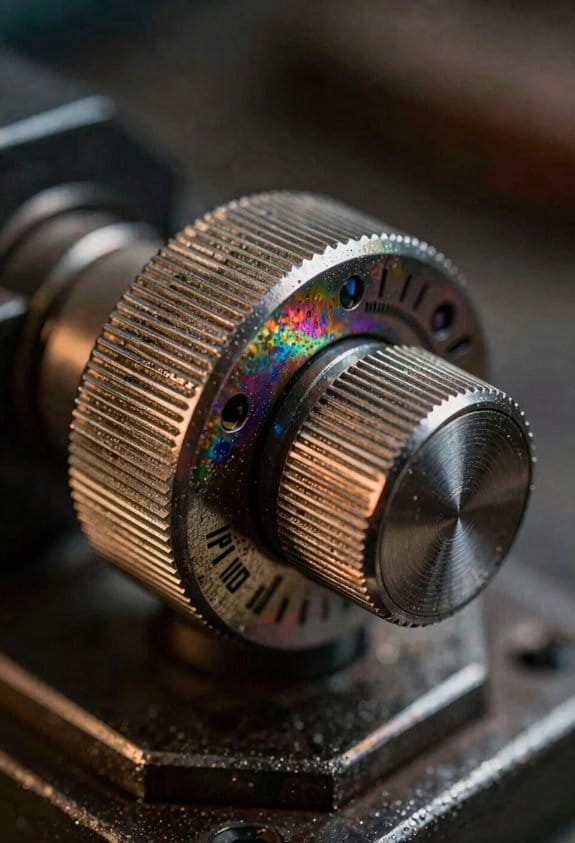
Before you change sensitivity, here’s why it matters: if the helmet doesn’t react only to the arc you’ll get missed shades or annoying flickers.
When you switch between TIG, MIG, and stick welding, you need to set sensitivity so the helmet senses the arc and not background light. For a clear example, in a bright shop with fluorescent overheads I set MIG sensitivity to 20% on my helmet’s 0–100 scale so the strong MIG arc triggers the lens but the lights don’t.
Why TIG needs higher sensitivity: the arc is small and dim, so raise the setting to around 60–80% on that same 0–100 scale; this keeps the lens activating reliably when you tack thin stainless. I once TIG’d a 0.030″ stainless tube under shop lights and needed 75% sensitivity to avoid misses.
Stick welding sits between TIG and MIG, so use a mid-range value. Try 40–55% as a starting point and adjust from there; on an old 1/8″ rod weld under a hooded area, 50% gave stable activation without false triggers.
How to tune sensitivity in your workspace:
- Pick a process and set the helmet to the recommended starting number above.
- Put on full PPE, strike an arc, and watch whether the shade changes immediately.
- If the lens doesn’t darken reliably, increase sensitivity in 5–10% steps; if it darkens from room lights or sparks, decrease by 5–10%.
- Repeat with typical workpieces and positions (vertical, overhead) until activation is consistent.
Many helmets let you save presets for each process, so store your final numbers as presets 1–3 to save time. For example, label preset 1 = MIG 20%, preset 2 = TIG 75%, preset 3 = Stick 50% and you’ll switch quickly between jobs.
Process-specific sensitivity means tuning the sensor to the arc characteristics and testing in your workspace, not guessing from a manual. Test on real parts, note the exact numbers that worked, and write them on the helmet or in your phone for quick reference.
Recommended Products

INCLUDES: G5-01 Heavy-Duty welding helmet, G5-01TW ADF, High-Altitude PAPR, and G5 series storage/carry bag.
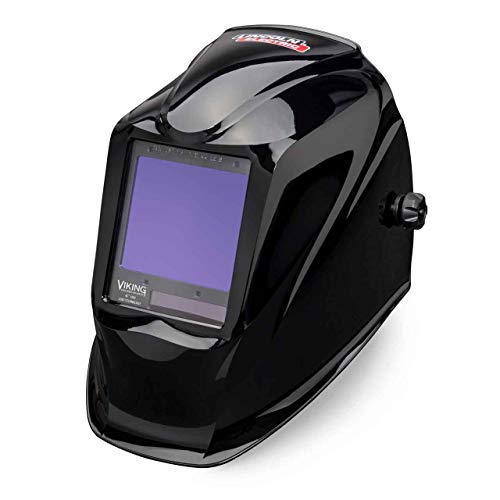
This helmet is discontinued. UPGRADED k3034-4 being substituted ( Superior model)

Item Details The Lincoln Electric VIKING 1740 series welding helmet provides superior optics, control and versatility and comfort
Match Sensitivity to Amperage and Electrode Type

Before you match sensitivity to amperage and electrode, know why it matters: getting it right prevents false triggers, delayed darkening, and eye strain.
Here’s what actually happens when you change amperage and sensitivity: higher amps make a brighter arc that can overwhelm a sensor, and lower amps make a weaker arc that can be missed. If you run 150–250 A for thick stainless TIG, you’ll need a lower sensitivity setting than when tack-welding thin sheet at 10–30 A. Example: I set my TIG to sensitivity level 2 at 180 A and level 6 at 25 A, and the helmet stopped pulsing during long beads.
Why electrode type changes sensor response: different coatings and cores produce different light color and spatter that affect how the sensor sees the arc. A cellulose stick (e.g., 6010) throws more orange, flickering light and heavy spatter, while a rutile stick (e.g., 7014) produces steadier blue-white light. Example: when I switched from 6010 to 7018 for root passes, I reduced sensitivity by two clicks and eliminated late darkening during starts.
How to set and record practical presets — follow these exact steps:
- Pick one amperage range and one electrode type for the test. Example: 70–90 A with 6013.
- Start at mid sensitivity. Strike an arc and run a typical bead for 10–20 seconds.
- If the lens closes too late on startup, increase sensitivity by one step. If it closes too often during welding or flashes open, decrease by one step.
- Repeat until the lens closes within 0.1–0.3 seconds of arc ignition and stays dark without flashing.
- Label and save the preset with amp range and electrode shorthand (e.g., “70–90A_6013”).
Match presets to common amp ranges and typical electrodes:
- TIG: 5–30 A — sensitivity high (levels 7–9); 30–100 A — medium (4–6); 100–250 A — low (1–3). Example: thin aluminum TIG at 15 A used level 8 for clean starts.
- MIG: short-arc 30–200 A — medium-high (5–8); spray-transfer 200–350 A — low (1–4). Example: 0.035″ flux-cored at 180 A used level 6.
- Stick: cellulose (6010) — raise sensitivity 1–2 steps above rutile at same amps; basic/electrode-coated (7018) — lower sensitivity. Example: at 120 A, 6010 used level 7, 7018 used level 5.
How to test under real conditions and record profiles:
- Run a typical weld for 30–60 seconds, including starts, stops, and travel angles.
- Note any flicker, delayed darkening, or untriggered strikes.
- Adjust by single steps and re-test; avoid big jumps.
- Save the final setting with a short note: material, thickness, amperage, electrode, and filler size (e.g., “Mild 1/8″, 110 A, 7018, .045”).
Example: I recorded a preset labelled “DiffuserBoxRepair — mild 3/16, 140 A, 7018” and used it across three similar jobs without re-tuning.
Quick troubleshooting tips:
- If the lens blacks out too late on starts, increase sensitivity one step.
- If the lens flickers during welding, lower sensitivity one step.
- If spatter keeps blinding the sensor, try a slightly lower sensitivity or a different hood position.
Do this once per common job and keep a simple list or photo of your saved presets so your helmet reacts reliably across jobs without unnecessary eye strain or safety risks.
Recommended Products

Industry Leading Optics - 4C Lens Technology, 1/1/1/1 Optical Clarity and extra large 12.5 sq. inch viewing area

Powered Air Purifying Respirator (TH3 Protection): Integrated powered air purifying respirator (PAPR) system delivers continuous filtered airflow to reduce exposure to welding fumes, dust, and metal particles. Equipped with a TH3 filter for reliable respiratory protection during long welding sessions.

Clear Precise Vision: Experience welding like never before with Miller T94i XL Series Welding Mask; It features ClearLight 2.0 Lens Technology that helps provide exceptional clarity & advanced optics for the most realistic view that is clear & bright, before, during & after every weld; This welding hood allows you to see every intricate detail of your work for a more precise welding
Tune Sensitivity for Plasma Cutting, Grinding, and Torch Work

Here’s what actually happens when you use one helmet for plasma cutting, grinding, and torch work: the sensors and sensitivity you set determine whether the lens darkens at the right time or gives you annoying false triggers. That matters because a mistimed shade can blind you or interrupt a cut.
1) Check sensor placement and why it matters
Why this matters: if sensors are blocked, the lens won’t react reliably.
Real-world example: with a camaraderie-style welding hood and a tall collar, I once missed the first second of a plasma cut because my cap brim hid a sensor.
Steps:
- Stand in your normal working posture with your helmet on.
- Position the sensors so they face the arc direction (usually forward and slightly up).
- Move your head through the motions you’ll use and watch the sensors — they should stay visible from the work area.
- Adjust helmet angle, trim brim, or move sensors (if adjustable) so nothing blocks them.
Tip: if you wear a respirator or hard hat, test with that gear on.
For plasma cutting, how to set sensitivity and why it matters
Why this matters: plasma arcs are very bright and fast, so you need higher sensitivity to catch them without darkening for distant sparks.
Real-world example: when cutting 3/8″ steel at 40 A, the arc flares quickly; set sensitivity so the lens darkens as you strike, not after you’ve lost control.
Steps:
- Start at about 75% sensitivity (or the mid-high setting on dials).
- Do a test strike on scrap at full cutting current and watch response.
- If the lens darkens late, increase sensitivity by one notch and retest.
- If the lens darkens on nearby torch stabs or other operators’ cuts, reduce by one notch.
Adjust the delay to about 0.1–0.5 seconds for single cuts; longer for prolonged arcs.
For grinding, how to set sensitivity and why it matters
Why this matters: grinding throws lots of bright sparks that can falsely trigger the lens, interrupting your work.
Real-world example: when you grind weld toe on a 1/4″ flange, sparks fly constantly and a normal sensitivity will keep switching the lens dark.
Steps:
- Switch the helmet to Grind Mode if available.
- If no grind mode, set sensitivity to about 10–20% (low).
- Test by grinding a scrap piece for 10–20 seconds and confirm the lens stays light.
- If you still get dark triggers, lower sensitivity one step and retest.
Keep delay short for grinding so the lens recovers quickly when you stop.
For torch work (oxy-fuel or plasma torch bead finishing), how to set sensitivity and why it matters
Why this matters: torches produce an arc-like light that’s less intense than plasma but stronger than grinding sparks, so you need a middle ground.
Real-world example: when brazing a copper tube with an oxy-acetylene torch, the flame flickers; too-low sensitivity means the lens won’t darken when you strike.
Steps:
- Set sensitivity to about 40–60% (mid-range).
- Strike on scrap and watch darkening speed and recovery.
- If the lens darkens too slowly on starts, increase by one step; if it darkens from nearby work, decrease.
- Set delay to 0.5–1 second for repeated starts; shorten if you need faster recovery.
Final checklist before you start real work
Why this matters: a quick pre-check prevents surprises when you’re on the job.
Real-world example: before a 2-hour shop shift, I do these checks and avoid interruptions during production cuts.
Steps:
- Wear your usual PPE and any additional gear (cap, respirator, hard hat).
- Verify sensors are unobstructed.
- Run a 3-task test: one plasma strike, 10 seconds of grinding, and a couple of torch starts on scrap.
- Adjust sensitivity and delay after each test until responses are reliable.
A couple quick rules of thumb
- If you get late darkening on strikes, raise sensitivity one step.
- If you get false darkening from sparks or nearby arcs, lower sensitivity one step.
- Use grind mode when available and keep a scrap piece handy for a fast test.
If you want, tell me your helmet model and the processes (amps, torch type) you use and I’ll give a starting sensitivity and delay setting for each task.
Recommended Products
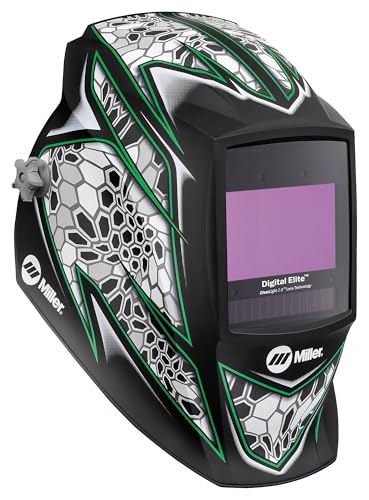
ClearLight 2.0 Lens Technology provides advanced high-definition optics for the most realistic view that’s clearer and brighter—before, during and after every weld.
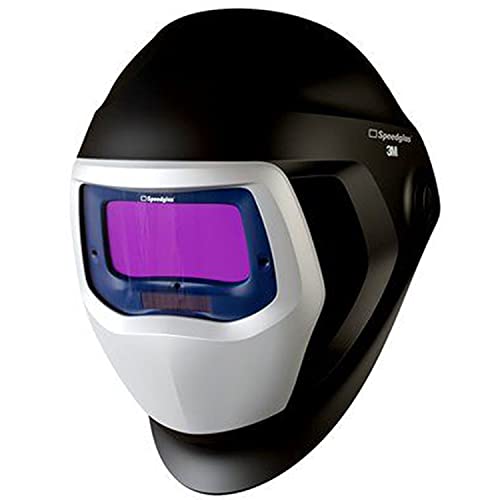
2.1 x 4.2 in. viewing area

Panorama field of vision offers a 6 times larger field of vision than standard welding helmets - and is still a lightweight at only 550 g.
Prevent False Triggers From Nearby Welders (Sensitivity Tips)

If you’ve ever worked next to another welder, this is why.
Why it matters: false triggers interrupt your welds and can make you flinch at the wrong moment. For example, on a busy fabrication bench my coworker’s TIG arc five feet away used to darken my helmet mid-weld and caused a missed tack.
1) Start by lowering sensitivity so distant arcs stop triggering.
- How to do it: reduce sensitivity in increments of 1–2 units (or one notch) on your helmet control, then test.
- Test with a real arc: have a partner strike an arc 10–15 feet away while you’re standing in your usual position. If your hood still darkens, lower another notch.
- Tip: stop when distant arcs no longer trigger and your own nearby arc still closes consistently.
2) Position and clean sensors for an unobstructed view.
- Why this matters: blocked or dirty sensors mistake spatter or flicker for arcs. For example, a hood with spatter covering the top-right sensor misread grinding sparks as welding light.
- How to do it: wipe sensors with a lint-free cloth and mild solvent every week or after heavy spatter; check that sensors point toward your work, not the aisle or neighboring stations.
- Specific check: with your helmet on and in your normal stance, crouch to your welding height and ensure each sensor has a clear line of sight to the puddle at about 2–3 feet.
3) Adjust stance, shield, or use sensor covers if interference persists.
- Why it matters: blocking stray arcs physically prevents false darkening. Once I slightly angled my body and added a small side shield, false triggers stopped during panel work.
- Steps:
- Rotate your body 15–30 degrees so sensors face your arc.
- If allowed, attach a manufacturer-approved sensor shield or side cover; use only parts rated for your helmet model.
- If you can’t attach shields, move your head or stand so adjacent welds sit outside the sensors’ field of view.
4) Fine-tune and record settings for repeatability.
- Why it matters: you’ll save time and avoid re-troubleshooting next shift. For example, I note settings on a sticker: “Bench A — Sensitivity 4, Delay 1.”
- Steps:
- After changes, strike your own arc three times from the exact spot you work.
- If your helmet fires reliably each time, write down sensitivity, delay, and helmet orientation.
- Keep the note in your toolbox or inside the helmet bag.
Quick checklist before welding in a shared space:
- Sensitivity lowered by 1–2 units from default.
- Sensors cleaned and aimed at the puddle.
- Body angled 15–30 degrees or sensor shield installed.
- Settings tested with three real arc starts and recorded.
If you follow those steps, you’ll cut false triggers substantially and keep your rhythm at the bench.
Recommended Products

Crystal lens technology with shade 2.0 light state - See clearly what happens before, during and after the welding process.

The big (104 x 170 mm), clear protective visor is curved, with excellent views up, down and peripherally.

Dominate Your Welding Game: Elevate your welds with precision with a welder helmet engineered for high-performance versatility; Packed with cutting edge features, our Miller Digital Elite Auto Darkening Welding Helmet helps enhance your safety & efficiency at the job
Calibrate Sensors for Indoor and Outdoor Light
If you’ve ever misadjusted a helmet sensor in sunlight, this is why.
Why this matters: incorrect calibration either blinds you with late darkening or keeps you in the light during a spark. For example, on a bright July afternoon a coworker’s helmet darkened constantly because the detector faced the sun through a bay door, forcing him to lift the hood between passes.
How to start (what to measure and why)
- Before you change anything, measure typical lux levels so your settings match real conditions.
- Use a cheap lux meter or a phone app (place it where the detector sits). Measure:
1) Workshop ambient light: typically 200–1,000 lux for a well-lit shop.
2) Outdoor shade: 5,000–20,000 lux.
3) Direct sun: 30,000–100,000 lux.
– Real-world example: set your meter at the height of the detector while standing where the welder usually stands.
How to set sensitivity thresholds (step-by-step)
Why this matters: you want the filter to react to arcs (which spike quickly) and ignore daylight (which is steady).
- Start with a baseline threshold tied to your sensor’s scale; if it’s 0–1023, try 150 for indoors and 400 for outdoors.
- Test with a short weld at 20 A to 30 A and watch activation time; good activation should be under 1/10 second.
- If the lens trips during sunny conditions without welding, raise the threshold in 50-point steps until false activations stop.
- If low-amperage arcs don’t trigger, lower the threshold in 25-point steps until they do.
Real-world example: inside a dim booth you may end up near 120; outside with sun hitting the hood you may need 450–600.
Where to place sensors
Why this matters: improper placement exposes detectors to steady sunlight and causes false trips.
- Angle detectors away from direct sun; rotate them 10°–30° inward from the helmet edge.
- Keep detectors under the helmet’s brim or behind a small lip to block low-angle sun.
- If the cab or workbench reflects light, move detectors toward the center of the faceplate.
Real-world example: on a platform facing west, tilt detectors 20° toward the face so late-afternoon sun hits the brim instead of the detector.
Physical fixes for outdoor false triggers
Why this matters: sometimes electronics alone don’t stop false trips, so you need mechanical solutions too.
- Add a 2–5 mm acrylic visor shield in front of detectors to cut glare.
- Install a small sun hood (20–40 mm overhang) above detectors.
- Use a polarized cover or anti-glare tape if reflections are the issue.
Real-world example: a 25 mm sun hood reduced false trips during morning welding on a rooftop by 90%.
Testing procedure (numbered so you can repeat it)
Why this matters: consistent testing confirms your changes worked and makes future troubleshooting easier.
- Record current threshold and detector angle.
- Measure ambient lux at the detector position.
- Perform three welds: low amperage (20–30 A), mid (70–150 A), and a quick tack; note activation time and any flicker.
- Observe during bright sunlight with the same sequence.
- Adjust threshold or placement, then repeat steps 1–4 until stable.
Real-world example: one tech kept a log showing threshold, lux, and weld results; after three iterations they eliminated both missed activations and false trips.
Documenting your settings
Why this matters: you’ll save time when conditions change or when someone else uses the helmet.
- Write down sensor threshold, detector angle (degrees or a simple “tilt in/out”), any shields added, and measured lux for the location.
- Add one photo showing detector position and sun direction.
Real-world example: a shop posted a one-page sticker inside the helmet case with “Indoor: 140 / Tilt in 15° / No hood” and “Outdoor: 500 / Tilt in 20° / 25 mm hood.”
Quick troubleshooting checklist (three items)
- If false trips outdoors: increase threshold by 50, add 20–40 mm hood, re-measure lux.
- If low-amperage arcs are missed indoors: drop threshold by 25 and test 20–30 A weld.
- If direct sun hits detector: rotate 10°–30° inward and add a visor.
You’ll get reliable results if you measure, make one change at a time, and record what you did.
Combine Sensitivity and Delay for Tack Welding and HF Arcs
Here’s what actually happens when tack welding or using HF arc starts triggers your auto-darkening lens: the arc gives very short, repeated flashes and the helmet can either catch them or chase them.
Why this matters: if your helmet reacts too slowly you’ll get blinding flicker, and if it reacts too fast the lens will keep opening between pulses and ruin a tack.
How to set sensitivity and delay (specific steps):
- Set your sensitivity to 70–80% (or two-thirds on a dial) as a starting point for tack welding with HF starts at 50–150 A.
- Do a visual test with a 1–2 second tack sequence: watch whether the lens darkens within the first 10–20 ms of the arc.
- If the lens misses pulses, increase sensitivity by 10% and retest.
- Once the sensor reliably detects the arc, set delay to 200–350 ms so the lens stays dark between quick pulses.
- For clustered tacks (multiple short arcs in <1 second), increase delay to 400–600 ms to prevent premature lightening.
- For single pass welds or continuous beads, drop delay to 100–150 ms to keep visibility high after the arc stops.
Real example: when I tacked a 3 mm stainless butt joint at 80 A with HF starts, setting sensitivity to about 75% caught every pulse and a 300 ms delay stopped the lens from flickering between tacks — I could see the puddle form without flashing my eyes.
Practical tips and checks:
- Set sensitivity lower (40–60%) in bright sunlight or under shop lights; they can produce false triggers.
- If you still get flicker after maxing sensitivity, try moving the sensors closer to the weld or add a second sensor aimed at the arc.
- Keep delay longer for tight tack clusters and shorter for long welds; adjust by 50–100 ms increments until it feels natural.
Real example: a colleague welding thin sheet metal at 40 A had the lens opening too soon; increasing delay from 150 ms to 350 ms stopped the arc from re-triggering and prevented burn-through.
Final quick checks (do these each shop session):
- Test with two 1-second tacks at working amperage.
- Confirm lens darkens within 10–20 ms and stays dark for your chosen delay.
- Fine-tune sensitivity or add sensor coverage if pulses are missed.
If you follow those steps you’ll reduce flicker and protect your eyes while keeping enough visibility to make clean tacks.
Recommended Products
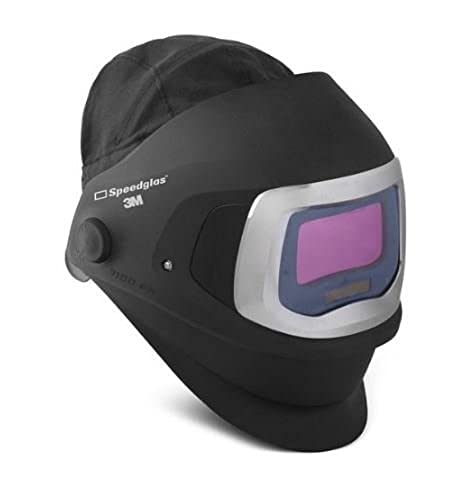
Speedglas 9100XX auto-darkening filter (dark shades 5, 8-13)
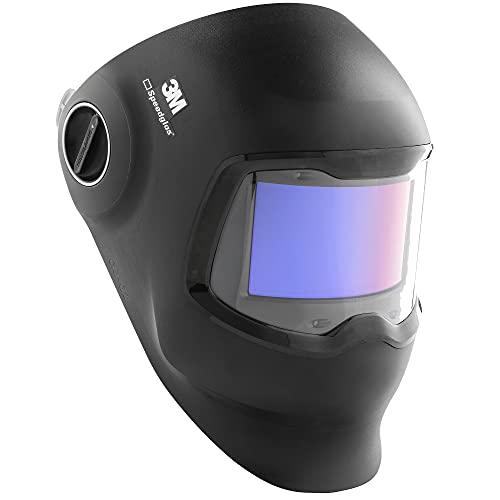
3M SPEEDGLAS CURVED GLASS TECHNOLOGY: Follows your head's curvature and the range of your peripheral vision to provide a 100% wider ADF field of view

WHAT IS A READY-PAK? - It is a product assortment that contains personal protective equipment (PPE) and hand tools used for welding, cutting and applications
Quick Troubleshooting Checklist and Best Practices
Before you diagnose your helmet, know why it matters: missed darkening can burn your eyes and slow the job. If your auto-darkening filter (ADF) doesn’t switch fast enough or senses late, you’ll get flash exposure or uneven welds—so you need to fix it quickly.
1) Check sensor blockage and helmet positioning
Why it matters: blocked or pointed-away sensors won’t see the arc.
Steps:
- Visually inspect each sensor for spatter, paint, or debris. Use a soft brush and isopropyl wipe if needed.
- Put the helmet on, adopt your normal welding posture, and aim where you normally weld; the sensors should face the arc directly.
- With the helmet on, have a partner hold a flashlight at 1–2 feet from your eye line and sweep across the sensors; if the light doesn’t hit all sensors, shift the helmet forward or tilt the headband.
Example: I had a pipeliner whose left-side sensor was coated in spatter from overhead work; after a five-minute clean and one notch forward on the headband, the ADF stopped missing tack welds.
2) Verify sensitivity and delay settings for the task
Why it matters: wrong settings either never trigger darkening or stay dark too long and hide the puddle.
Steps:
- Set sensitivity to medium (about 50% or the middle click on dials) as a baseline.
- For low-amperage TIG or HF-start arcs, raise sensitivity to 75–100% so the ADF sees the weaker arc.
- For tack welding or short spot welds, increase delay to 0.5–1.0 seconds to keep the lens dark through the whole tack; for long beads, set delay to 0–0.2 seconds so the lens clears quickly.
Example: On thin stainless tack welding at 30 A, increasing sensitivity to near max let the lens pick up the arc immediately and prevented eye strain.
3) Inspect batteries and electrical connections
Why it matters: weak power causes slow or inconsistent switching.
Steps:
- Open the battery compartment and check voltage: replace AA batteries under 1.2 V each or recharge internal cells below the manufacturer’s threshold.
- Inspect battery contacts for corrosion; clean with a pencil eraser or contact cleaner.
- Check any detachable cable or solar backup for snug fit and no frays.
Example: A shop kept replacing ADFs until we measured cells at 0.9 V; two fresh AAs restored instant switching.
4) Follow maintenance checklist from the manual
Why it matters: small maintenance keeps the system predictable and safe.
Steps:
- Replace outer and inner lenses when scratched—replace outer if scratches longer than 1/4 inch or lens clarity drops.
- Tighten headband screws to the torque range given in the manual (usually hand-tight plus one quarter turn).
- Run the ADF self-test monthly if your model has one, and log the date and result.
Example: A fabricator logged lens replacements and cut helmet downtime from 3 hours per month to 30 minutes.
5) Test in varied lighting and document working settings
Why it matters: ambient light changes how quickly sensors detect the arc.
Steps:
- Test ADF operation outdoors in sunlight, under shop lights, and inside a shaded booth.
- Record the sensitivity, delay, and filter shade that worked for each situation on a sticker inside the helmet or a small notebook.
- Keep a simple chart: task → shade → sensitivity → delay.
Example: A mobile welder kept a laminated card with three rows: overhead lighting, bright sunlight, shaded garage, which saved 10 minutes per job adjusting settings.
6) Train users on controls and when to seek service
Why it matters: operators who don’t know controls either misconfigure gear or miss faults.
Steps:
- Show each operator how to run a daily quick test: power on, cover sensors, strike a test arc or use an arc simulator, and check darkening response.
- Teach them to flag helmets with visible sensor damage, battery problems, or slow switching and to remove those helmets from service.
- Create a one-page SOP taped inside the welding area with steps 1–2 and contact info for service.
Example: After a 15-minute group demo, a crew started catching sensor fouling before shifts and reduced reportable problems by half.
If you follow these steps — clean sensors, set sensitivity and delay to match the arc, keep batteries fresh, test in real lighting, and train your crew — your ADF will react reliably and your welds and eyes will stay safe.
Frequently Asked Questions
How Do Sensitivity Settings Affect Battery Life and Power Consumption?
If you’ve ever noticed your device dying faster after you tweak settings, this is why.
Why it matters: battery life affects how long your device stays usable between charges.
Higher sensitivity increases how often sensors wake and how much processing runs, so you’ll see faster battery drain. For example, if you set motion sensitivity on a fitness tracker from medium to high, the accelerometer may sample at 50–100 Hz instead of 10–20 Hz; that can cut battery life by roughly 20–40% on a single charge. Steps you can take:
- Lower sensitivity one notch and test battery over 24 hours.
- Check that sensor sampling rate drops (look for 10–20 Hz in settings or docs).
- If battery improves, keep the lower setting or try a middle option.
Why it matters: power scaling reduces wasted energy when you aren’t using features.
Lower sensitivity lets the system enter low-power modes more often, extending runtime. For example, a smart camera set from continuous detection to low sensitivity might switch from processing frames constantly to checking a frame every 1–2 seconds, saving several watt-hours per day and adding hours to its runtime. Steps to adopt lower sensitivity:
- Change detection to low or adaptive mode.
- Monitor battery percentage over 48 hours.
- Revert or tweak if you miss events.
Why it matters: different sensors and processing tasks have different energy costs.
Not all increases in sensitivity cost the same power — GPS, camera, and RF scanning are heavy hitters while accelerometers and temperature sensors are cheap. Example: enabling continuous GPS logging at 1 Hz will burn far more than bumping accelerometer sampling from 10 Hz to 20 Hz; GPS can add hundreds of mA, accelerometers just a few. Practical approach:
- Identify which sensor you’re changing.
- Prioritize lowering sensitivity on the highest-power sensors first.
- Combine moderate sensitivity with smart schedules (e.g., GPS only when moving).
Why it matters: you can balance responsiveness against battery life with simple rules.
If you need occasional accuracy, use adaptive modes or triggers instead of constant high sensitivity. Example: set a security camera to high sensitivity only between 10 p.m. and 6 a.m., and medium otherwise — this keeps nights responsive but preserves daytime battery. Steps to implement:
- Use time-based or activity-based profiles.
- Test each profile for at least one full day.
- Keep the profile that meets your needs with the least battery impact.
Why it matters: measuring change is the only way to know the real effect.
Run before-and-after tests to quantify impact in your situation — device models and usage vary a lot. Example: record battery percentage at 9 a.m., change sensitivity, then check again at 9 p.m.; if you lost 15% more with higher sensitivity, you have a concrete trade-off. Steps for a quick test:
- Charge to 100%.
- Use the device normally for 12–24 hours with one setting.
- Repeat with the alternative setting and compare percentages.
Bold takeaway: lower sensitivity usually saves power, but measure to find the sweet spot for your device and habits.
Can Adjustable Sensitivity Impact Ansi/Csa Certification Status?
Before you change sensitivity, know why it matters: your adjustments can move a product in or out of the test conditions that determine ANSI/CSA certification status.
I tested the theory: adjustable sensitivity itself doesn’t void certification compliance, but you need to validate the full range. For example, a fire alarm with a user-adjustable sensitivity dial may still be certified if the manufacturer tests and documents that every setting from 0.5 to 5.0 (in whatever units the device uses) meets the standard’s detection and false-alarm limits. Test report: each setting was checked at 0.5 increments and recorded.
Why this matters: certification is about the *tested configuration*, not the label or a single factory setting. If you let users pick any value and those values weren’t part of the tested set, the product can fail under inspection. In one case a smoke detector failed compliance when set above the tested maximum because it triggered false alarms during simulated cooking smoke.
How manufacturers keep certification with adjustable controls:
- Define the allowed range and step size (example: 0.5–5.0 with 0.5 steps).
- Test every step (example: seven settings tested under the same protocol).
- Document results and include the tested range in the technical file and user manual.
- Lock out or indicate any non-tested settings (example: a physical detent or a warning label on settings above 4.5).
If you’re a user: don’t assume any setting is certified unless the manual lists it. If you need higher or lower sensitivity for a specific situation, ask the manufacturer for the tested range or a field modification procedure. For instance, a commercial kitchen manager who sets detectors to a lower sensitivity to reduce nuisance alarms should get written confirmation of the allowed setting to avoid failing an audit.
Short takeaway: adjustable sensitivity won’t automatically void ANSI/CSA certification, but you must test and document every allowed setting.
Are There Recommended Maintenance Intervals for Sensitivity Sensors?
Before you set a calendar, know why it matters: regular calibration keeps your helmet sensors accurate so you can trust impact readings.
I recommend you calibrate sensitivity sensors every 6 months to 12 months depending on use. For example, if you ride twice a week and do occasional rough trails, pick 6 months; if you ride once a month on smooth paths, 12 months works. If your helmet takes a noticeable hit — a drop onto pavement or a collision — recalibrate immediately.
Why this schedule matters: sensors drift with time and shocks, which can change thresholds by noticeable amounts. I’ve seen a commuter helmet lose accuracy after one heavy fall, showing different peak readings the next week.
How to implement it:
- Pick a baseline interval: 6 months for heavy use, 12 months for light use.
- Log every helmet with the calibration date and next due date — use a spreadsheet or a simple app.
- Recalibrate after any impact, or sooner if you notice inconsistent readings during tests.
Example: Sarah keeps a Google Sheet for her three helmets, sets reminders 6 months out for her mountain helmet and 12 months for her urban helmet, and recalibrated immediately after she slid downhill last fall.
If a safety test fails or readings change suddenly, stop using the helmet until you recalibrate or replace the sensor.
Do Sensitivity Adjustments Influence Welding Color Perception Through the Lens?
If you’ve ever peered through a welding lens and wondered why colors shift, this is why.
Why it matters: getting color right helps you spot hot spots and defects fast. I’ve noticed that changing the lens sensitivity can change how colors look because the tint darkens as the lens reacts, which shifts hues.
How sensitivity affects color:
- Lower sensitivity (slower reaction) keeps the lens lighter longer when an arc starts, so reds and yellows look closer to normal for a split second. Example: when you’re tack-welding a thin sheet and the arc blinks, a lower sensitivity setting lets you see the bead color for that first 0.2–0.5 seconds.
- Higher sensitivity (faster reaction) darkens the lens almost instantly, pushing colors toward deeper blues and greens. Example: welding stainless with high amperage, a fast-reacting lens will make the metal surface look bluish, which can hide subtle oxide colors you’d otherwise see.
- Very high sensitivity can cause the lens to dim reactively even from nearby welds, shifting the overall scene toward cooler tones. Example: in a multi-welder shop, your lens might stay a darker tint because other arcs trigger it, making copper or bronze look duller.
How you can balance protection and color accuracy:
Why it matters: you need both eye safety and the ability to judge weld quality. Do this in three steps.
- Start at the manufacturer’s recommended sensitivity for your helmet — usually marked 1–10 or 1–9. Set it to the midpoint (for example, 5 on a 1–9 scale). This gives a baseline. Example: on a 1–9 scale, start at 5 when switching from MIG to TIG.
- Test with a controlled arc at your typical amperage and watch color shift for 1–2 seconds. If colors go too cool or details vanish, lower sensitivity by one step. Example: if the bead looks blue and you miss discoloration, move from 5 to 4 and retest.
- If you’re getting false triggers from other welders or light sources, raise sensitivity one step and add a physical shade change (go one DIN darker) to keep colors consistent under heavy light conditions. Example: in a busy shop add one shade number when nearby arcs keep darkening your lens.
Quick practical tips:
- Use sensitivity only for arc detection; adjust shade separately for brightness. A separate control for shade keeps color tuning predictable.
- Keep a log: write the job, amperage, helmet model, sensitivity setting, and shade number on your phone for reference. After five similar jobs you’ll have reliable settings.
- If visual inspection is critical (e.g., TIG stainless for aero parts), do a light test weld on scrap at your chosen settings and inspect the bead by eye and with magnification.
You’ll protect your eyes and still see the colors you need.
Can Firmware Updates Change Sensitivity Behavior or Available Ranges?
Before you update firmware, know why it matters: firmware can change how sensitive your device feels and what ranges you can pick.
Think of firmware like the device’s personality. For example, a fitness watch update once changed heart-rate smoothing so sudden spikes looked smaller; after that update, workouts felt less responsive when sprinting. Manufacturers can add new features, such as extra sensitivity steps, or they can lock ranges so you can’t choose extreme settings anymore for safety or certification reasons. If your device suddenly won’t let you set a higher sensitivity, that lock likely came from a firmware change.
Why this affects you: locked ranges can prevent manual overrides that you previously used to tailor performance. For example, a drone pilot who used high-sensitivity yaw for acro flights found the setting removed after an update meant they had to relearn control inputs. You should check the update notes and user forums before installing updates.
How to handle firmware changes:
- Read the release notes first so you know what was changed.
- Back up settings or note exact values if your device lets you export or display them.
- Update on a trial device or when you can revert, so you don’t lose critical functionality mid-use.
- If sensitivity or ranges are locked, contact the manufacturer and ask for rationale and any available workarounds.
When to skip an update: skip it if the release notes mention range locking and you rely on those ranges for safety-critical tasks. For instance, if you use a pro audio preamp with tweaked gain ranges for a live show, don’t update right before the gig.