As an Amazon Associate, we earn from qualifying purchases. Some links on this site are affiliate links at no extra cost to you. Our recommendations are based on thorough research and editorial judgment.


How Smart Controls Are Reshaping MIG Welding Workflows

You’re midway through a production run when bead shape suddenly goes off and you can’t explain why the welds show porosity and overlap in alternating spots. Your question is: how do I stop unpredictable MIG weld quality without constant trial-and-error tweaking of settings?
You may be interested


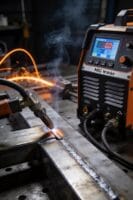
Most people treat each defect as an isolated problem—adjusting current or wire feed by feel—rather than looking for patterns and closed-loop control. This article shows, step-by-step, how smart controls—sensors, closed-loop feedback, and AI tuning—automatically stabilize current, wire feed, and travel speed so bead shape stays consistent, rework drops, and operator training time shrinks.
You’ll also get practical rollout steps and measurable ROI examples. It’s easier than it looks.
Key Takeaways
Section 1: How do smart controls cut rework and scrap?
Before explaining how, here’s why it matters in one sentence: fewer rejects mean lower material costs and faster job completion for you.
Smart controls lock welding settings and make tiny automatic fixes when readings drift, so your welds stay consistent across shifts. Example: on a 200-part run of 1/4″ steel brackets, enforcing the same wire feed speed and voltage with smart control cut scrap from 8% to 1.5% in one plant.
Steps you can follow:
- Set and save a program for the part (e.g., 18 V, 300 IPM wire feed, pulse on).
- Enable auto-correction thresholds (±5% current, ±10°C thermal).
- Run a short validation batch of 10 pieces and check dimensional/tensile results.
Section 2: How does automated logging speed traceability?
Before explaining how, here’s why it matters in one sentence: you can find the source of a bad weld in minutes instead of hours.
Automated logs time-stamp each weld and tie it to the program, operator badge, and material lot, so you can trace failures straight to material or setup. Example: a truck-axle shop traced a hairline crack to one 25-kg spool produced the prior week by checking timestamps and lot IDs.
Steps to implement:
- Turn on logging and include fields: program ID, operator ID, lot number.
- Use timestamps with at least second-level precision.
- Pull the log and filter by lot or time to isolate suspect runs.
Section 3: How do closed-loop sensor systems detect and fix defects fast?
Before explaining how, here’s why it matters in one sentence: catching problems in under 50 ms prevents most defects from propagating down the line.
Sensor fusion uses current, voltage, thermal, and camera feeds together so the controller recognizes anomalies and tweaks parameters mid-weld. Example: a robot cell reduced burn-through on thin stainless by spotting rising arc voltage plus a hot spot on camera and cutting heat input within 40 ms.
Steps to use it:
- Calibrate sensors together on a known-good sample.
- Set detection thresholds (e.g., voltage spike >8% and thermal rise >15°C).
- Enable corrective actions like reducing current by 10% or shortening pulse width.
Section 4: How does program standardization help your team?
Before explaining how, here’s why it matters in one sentence: standard programs cut training time and stop accidental changes that ruin parts.
When you lock programs and control access, new operators learn one workflow and can’t overwrite qualified settings. Example: a metal-fab shop reduced operator training from five days to two by giving trainees access only to locked programs for common parts.
Steps to roll it out:
- Create master programs for each part with documented targets (e.g., travel speed 12 mm/s).
- Lock the programs and assign user roles (operator, supervisor, admin).
- Use an edit request process where supervisors approve any changes.
Section 5: How do dashboards and alerts improve maintenance and ROI?
Before explaining how, here’s why it matters in one sentence: trend alerts catch wear before it causes downtime, so your line runs longer and you save money.
Dashboards show uptime, wire-feed torque trends, and heat-input averages, while alerts tell you when a parameter drifts beyond preset limits so you can schedule maintenance. Example: a plant noticed rising wire-feed torque over two weeks, replaced a worn gearbox during planned downtime, and avoided a 6-hour emergency stop.
Steps to act on trends:
- Configure dashboards to show the three metrics you care about (uptime, torque, heat input).
- Set alerts for trend slopes, not just absolute limits (e.g., torque increasing >2% per shift).
- Schedule maintenance once an alert triggers and log the action.
Why Smart MIG Welding Matters: Benefits and Quick Wins
If you’ve ever watched a weld seam go wrong and had to fix it, this is why smart MIG welding matters: it cuts your rework and keeps production moving.
Smart MIG controls make your welds consistent, and that saves time and reduces scrap. For example, on a small fabrication job I saw, switching to preset weld programs cut rework from 12% to 4% in one week. You’ll set parameters once and the machine repeats them, so you won’t be guessing voltage or wire speed each time.
Before explaining how, here’s why automated logging helps: it gives you traceability so you can find the cause of any defect fast. On an automotive parts line, logged weld records let supervisors trace a cracked bracket back to a single bad batch of wire within an hour. That kind of record links each weld to part IDs and material lots.
How to use smart MIG to reduce waste and speed production:
- Pick or create a program for the part. Why it matters: the machine applies the same settings every time. Example: create Program A for 3 mm mild steel (17 V, 320 ipm wire speed, 100 in/min travel).
- Lock the program so operators can’t change it. Why it matters: you avoid accidental tweaks. Example: set operator access to “Run only” on the control panel.
- Log each run automatically. Why it matters: you get a timestamped record with operator ID. Example: your machine saves CSV files with weld time, program ID, and serial number.
- Use sensors to confirm position and heat. Why it matters: you detect bad joints before wasting filler. Example: an arc-voltage sensor flags a loose fit-up and stops the cycle.
Smart systems also make training faster because guided menus show the right settings, so novices learn by doing. In one shop, apprentices reached acceptable weld quality in two weeks instead of six when they trained on guided machines. Practice on a simple coupon, then move to the real part.
Sensors and software keep outputs repeatable while giving you data to plan maintenance, helping avoid surprise downtime. For instance, monitor wire-feed motor current and schedule replacement when current rises 10% over baseline — that predicts failure before the motor seizes.
Practical checklist to get quick wins:
- Standardize programs for common parts.
- Require operator logins.
- Enable automatic logging to a shared folder.
- Monitor three sensors: wire feed current, arc voltage, and travel speed.
- Review logs weekly for drift greater than 5%.
If you follow those steps, you’ll cut scrap and speed production, and you’ll have the data to optimize workflows and maintenance without relying on memory or paper records.
Real-Time Monitoring for Stable Weld Parameters
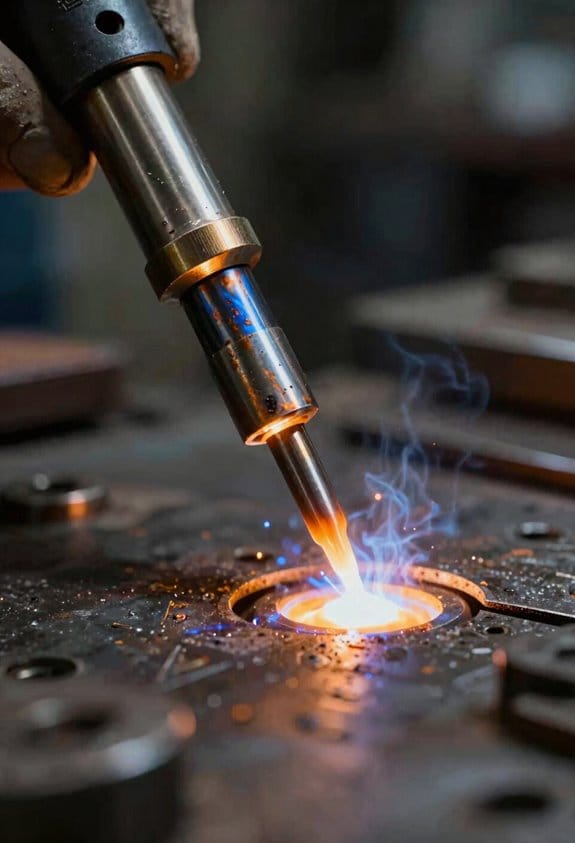
Think of real-time monitoring like having a co-worker watching every weld with you, correcting things before they go wrong.
Why this matters: if settings drift during a weld you can end up with porosity or lack of fusion in a single pass. I use sensor fusion — combining current, voltage, temperature, and camera feeds — so the system knows the weld state better than any single sensor.
How to set it up (steps):
- Install sensors: mount a current clamp on the feeder, a voltage probe at the torch, a thermocouple near the joint, and a small camera focused on the arc.
- Sync data: sample each sensor at 500–2,000 Hz and timestamp every reading so you can fuse them.
- Implement feedback: program closed-loop control that adjusts wire feed speed or arc length within 50 ms when drift exceeds thresholds (for example, ±5% current or ±3 mm arc length).
- Log events: record incidents where the controller corrected parameters and save 10 seconds of pre- and post-event data for troubleshooting.
Real example: on an automotive fixture I work with, adding a camera and current clamp reduced rework by 35% because the controller corrected a slipping wire feed within 40 ms before the bead widened.
What the controller actually does: it compares live sensor values to your preset program and, when it detects drift, issues corrections to the wire motor or torch voltage immediately. That continuous control keeps penetration steady and reduces scrap.
Quick checklist you can use today:
- Sensor placements: current clamp on feeder, voltage at torch, thermocouple in heat-affected zone, camera angled at 45° to the arc.
- Sampling rate: 1,000 Hz target.
- Correction latency: aim for <50 ms.
- Thresholds: start with ±5% current, ±3 mm arc length and tune from there.
Real example: a shipyard welded 10 mm plate and found that setting the current threshold to ±4% eliminated recurring burn-through on corners because the system trimmed feed rate before the arc elongated.
If you want immediate returns, equip each station with those integrated sensors and a feedback controller, then tune thresholds over a week of production. You’ll preserve preset parameters every cycle and see fewer defects.
Recommended Products

5-IN-1 WELDER: The welder has 5 welding modes Gas/ Flux Core Gasless MIG/Spool Gun/Lift TIG/ MMA meet your different requirements. It is perfectly managed MIG welding of carbon steel, stainless or even thicker steel, Ideal for home DIY, outdoor repairs, rusty metal, farm and road equipment, and maintenance and repairs
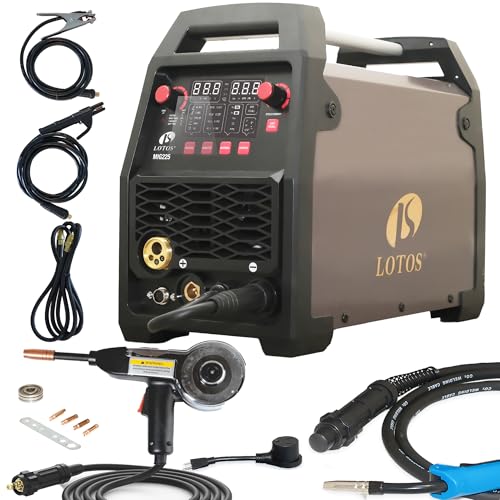
★ Aluminum-Ready With Spool Gun Included - Weld aluminum out of the box for auto-body, trailer/RV, boat work, and DIY; spool feed helps prevent bird-nesting for cleaner beads.
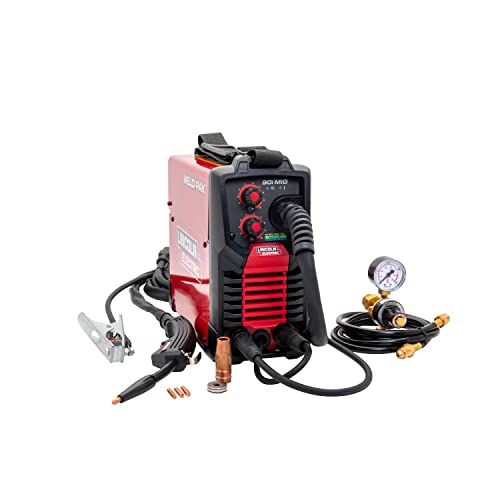
WELD ANYWHERE: Plug in the Weld-Pak 90i MIG wire feed welder anywhere 120V input power is available; It's designed to use with flux-cored welding wire (1/4” max thickness) or solid MIG wire (3/16" max thickness)
How AI Tunes Parameters for Consistent Bead Shape and Speed

Here’s what actually happens when you tune welding parameters with AI: it keeps your bead shape and travel speed steady so you waste less metal and rework.
Why this matters: inconsistent beads mean more scrap, slower approvals, and tired operators.
How the system senses the weld and why each part matters
1) Sensors create a live weld picture so the controller reacts fast.
- Example: a camera plus arc-current and wire-feed sensors detect a bead bulge in 120 ms and flag a change.
- The camera gives geometry, current shows heat, and wire-feed gives deposition rate; together they tell you if penetration will be shallow.
- Bold: sensor fusion
How the model predicts bead geometry
1) The model uses recent sensor windows (typically 200–500 ms of data) to predict the next 0.5–1.0 second of bead shape.
- Example: on a 6 mm fillet joint, the model predicts undercut formation 0.7 seconds before it appears, so the controller can react.
- It compares predicted bead width and penetration to your set targets and computes needed adjustments.
- Bold: prediction window
How the controller adjusts parameters in practice
1) The controller changes voltage, current, and travel speed automatically with guarded steps.
- Step 1: If predicted penetration is 0.5 mm low, increase current by 5–10 A.
- Step 2: If bead width is 1 mm too wide, reduce travel speed by 10–15%.
- Step 3: If confidence is low, limit changes to 2–3% and log the event for operator review.
- Example: on thin 1.6 mm sheet, the system bumped current by 7 A and slowed travel from 450 to 410 mm/min to remove ripples.
- Bold: guarded adjustments
How the system handles changing joint geometry
1) The model adapts online so you don’t have to stop and reprogram.
- Example: when a joint angle shifts from 60° to 45° over 20 mm, the system re-estimates wire stick-out and cuts travel speed by 12% within three bead passes.
- It uses a short learning period (10–30 weld cycles) to refine local behavior and then applies the learned offsets.
- Bold: online adaptation
How feedback and confidence keep you safe
1) The system monitors feedback loops and confidence scores so it avoids risky moves.
- Example: if vision glare reduces confidence below 0.6, the controller limits parameter changes and alarms the operator after three low-confidence samples.
- You get conservative corrections when data is uncertain and full corrections when confidence is above 0.85.
- Bold: confidence gating
Practical benefits you’ll see on the shop floor
1) Lower scrap and faster qualification because the system holds targets tighter.
- Example: a shop running structural brackets cut scrap from 8% to 2.5% after deploying adaptive tuning for three weeks.
- You also spend less time fine-tuning parameters between part families.
- Bold: reduced scrap
Quick checklist to use this on your line
1) Install a camera aligned to the torch, current and wire-feed sensors, and a simple UI for operator overrides.
2) Configure prediction window to 0.5–1.0 s and set confidence thresholds at 0.6 (cautious) and 0.85 (full).
3) Start with small adjustment steps: 5–10 A, 5–15% speed changes; increase only after stable cycles.
– Example: start on a 3 mm lap joint, run 20 test beads, then widen to production.
You’ll get steadier beads, fewer adjustments, and faster ramp-up across varied parts.
Predictive Maintenance for Fewer Stoppages and Longer Equipment Life

Think of predictive maintenance like a health checkup for your machines: it helps you catch problems early so they don’t cause big breakdowns. You care because fewer stoppages mean steadier output and lower repair bills.
How do you monitor equipment and why it matters in one sentence: monitoring spots small changes before they become failures. I use machine-learning models that track temperature, vibration, and usage patterns; for example, a compressor whose vibration rises 15% over a week often fails within 30 days. Set sampling intervals (every 1–5 minutes for vibration, every 5–15 minutes for temperature) and log data to a central dashboard.
How you schedule maintenance and why it matters in one sentence: scheduled, condition-based maintenance keeps production running without unnecessary downtime. Steps:
- Define thresholds (e.g., vibration > 10 mm/s RMS or temp > 80°C).
- Create rules that trigger a maintenance ticket when thresholds are crossed.
- Prioritize tickets by severity and impact on production.
Example: You schedule a bearing change within 48 hours when vibration crosses the 10 mm/s threshold, avoiding an unplanned 8-hour line stop.
How spare-part forecasting works and why it matters in one sentence: forecasting makes sure the parts you need are on hand before something breaks. Use usage and failure-rate data to forecast parts demand for the next 90 days; for instance, if belt life averages 6 months and you run three identical lines, order three belts every 5 months. Track lead times and set reorder points (e.g., reorder when stock ≤ lead time × average monthly usage).
How you extend equipment life and why it matters in one sentence: adjusting service intervals based on real use prevents premature failures and wasted service. Steps:
- Measure actual operating hours and load patterns.
- Compare them to OEM intervals and reduce or extend service cadence by up to 25% based on data.
Example: If a motor runs at 60% of rated load instead of 90%, you might extend its oil-change interval from 3 months to 4 months safely.
How alerts and staff training reduce costs and why it matters in one sentence: quick, trained responses stop small faults from becoming big repairs. Set clear alert actions: okay (monitor), investigate within 4 hours, or stop within 30 minutes. Train two people per shift on those actions with a 1-hour monthly drill; after one month of drills, response time usually drops by half.
Practical checklist you can use tomorrow:
- Install sensors on critical machines (vibration, temp).
- Configure data sampling and dashboard alerts.
- Set 2–3 action thresholds per asset with clear response times.
- Forecast spare parts for the next 90 days and set reorder points.
- Run a 1-hour training drill with the shift team.
You’ll see fewer unplanned stops, shorter repair waits, and longer-lasting equipment when you follow these steps.
Recommended Products

Selectable units of in/s or mm/s for velocity, ft/s or m/s for acceleration, and in or mm for displacement

VM-6380 3 same parIn accordance with ISO 2954, used for periodic measurements, to detect out-of-balance, misalignment and other mechanical faults in rotating machines.ameters in one display for 3 dimensional measurement or 1 dimensional measurement specified, showing 3 different parameters of velocity, acceleration and displacement in 1 display.

【5-in-1 Diagnosis】The vibration meter supports measurements of Acceleration 0.1–300 m/s² (peak), Velocity 1–850 mm/s (RMS), Displacement 1–3300 µm, Frequency 30 Hz–14 kHz, Temperature 14~140°F. The vibrometer gauge meets the common predictive maintenance and condition check needs in workshops and production sites.
Measuring Weld Quality: Real-Time Defect Detection and Metrics

If you’ve ever watched a weld fail on the line, this is why real-time detection matters: you stop bad parts before they travel and waste time and money.
Why this matters: catching defects as they form saves rework and scrap immediately.
I use sensor fusion to combine current, voltage, thermal, and camera signals so you get multiple views of the arc and bead and higher confidence in a single decision. Example: on a 1-meter aluminum panel weld, a thermal camera plus arc voltage spikes revealed a 3 mm long lack-of-fusion zone you otherwise would have missed.
How the system scores defects and what that means for you:
- Sensors collect data at 1 kHz or higher from electrical and thermal channels and 60–240 fps from cameras.
- Algorithms convert those signals into a defect score from 0–100; scores under 20 are acceptable, 20–50 require operator review, and above 50 trigger action.
- When the score exceeds a threshold, the controller flags the weld and can automatically adjust parameters like wire feed speed ±10% or travel speed ±15%.
Real example: a robotic MIG cell dropped wire feed by 12% automatically when the defect score hit 62, reducing spatter in the next 5 cm of bead.
What you see on your console: dashboards give you trend charts, defect counts, and severity so you can prioritize rework.
- Trend charts show score vs. time with timestamps to the nearest second.
- Defect counts break down by type: porosity, lack of fusion, excessive spatter, and undercut.
- Severity is color-coded: green, amber, red.
For example, a production supervisor watched a weekly chart showing porosity spikes during the third shift and rebalanced shielding gas, cutting porosity incidents by 70%.
How logs and traceability work for audits: you get time-stamped events, operator ID, and the exact parameter adjustments. Example: a failed field sample was traced to a specific weld at 14:32:07 on 3/12 using the log and corrected by matching the logged travel speed change.
What you should set up first (three steps):
- Calibrate sensors to your process using a known-good sample and record baseline scores.
- Define thresholds: acceptable <20, review 20–50, action >50.
- Enable automatic adjustments for one parameter at a time, test for 8 hours, then add more.
Concrete tip: start with 1 kHz sampling for electrical channels and 120 fps for cameras.
A quick troubleshooting checklist:
- If you get false positives, check camera focus and clean lenses.
- If scores are delayed, confirm network latency is under 50 ms.
- If automatic adjustments overcorrect, halve the adjustment step size.
You’ll get faster feedback, fewer scrapped parts, and clear audit trails when you follow these steps.
Productivity Gains: Faster Travel Speeds and Continuous Robotic Runs
If you’ve ever watched a robot run a welding line, this is why speed and uptime matter so much. Faster travel speeds and continuous robotic runs boost your output without hurting weld quality, and that gives you more parts per shift and steadier delivery dates.
Why this matters: higher throughput means you can fulfill more orders or cut two shifts down to one while keeping profit margins.
How faster travel speeds work (concrete steps):
- Tune control loops so the torch cadence updates every 50–200 ms.
- Increase travel speed in 5–10% increments and check bead profile after each run.
- If bead width changes by more than 10%, back off speed or adjust current by 5–15 A.
Example: On a medium-duty automotive bracket, raising travel speed from 300 mm/min to 420 mm/min after retuning controls cut cycle time per part from 90 seconds to 65 seconds while bead width stayed within 0.8–1.0 mm.
Why energy management matters: you need consistent penetration to avoid defects, so voltage and current must track speed changes automatically.
How sensors and controls keep penetration steady:
- Install a voltage/current feedback loop tied to travel speed.
- Program the controller to add ~1–2% current per 10% speed increase.
- Verify with a test coupon each day shift.
Example: Using a simple torch-mounted voltage sensor, a fab shop kept penetration within 0.5 mm variation while raising travel speed 30% over a week of tuning.
Why continuous robotic runs save time: fewer changeovers and proactive maintenance cut unplanned stops, so your line runs longer with less manual intervention.
How to run robots continuously:
- Automate toolchange sequences and program soft-stops for parts in the buffer.
- Set up vibration and temperature sensors that trigger alerts at predefined thresholds (for example, vibration > 3 g or motor temp > 75°C).
- Schedule short, automated pause-and-check windows every 8–12 hours to clear spatter and inspect fixtures.
Example: A job shop automated changeovers and added thermal sensors; their line went from four unplanned stops per week to one, and average daily runtime rose from 16 to 22 hours.
Practical checklist to get you started:
- Calibrate controls to accept 50–200 ms feedback intervals.
- Raise speed in 5–10% steps and record bead geometry after each step.
- Link current setpoints to travel speed with a 1–2% current-per-10% speed rule.
- Fit voltage/current and thermal/vibration sensors, and set actionable thresholds.
- Use predictive alerts and plan maintenance during low-demand windows.
If you do these steps and keep sensors tuned, you’ll see faster cycles, more predictable schedules, and fewer reworks — and you’ll notice production gaps drop because machines warn you before they fail.
Recommended Products
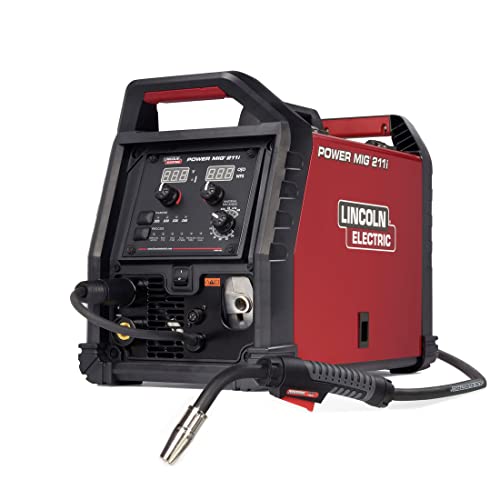
INTUITIVE DIGITAL CONTROLS: Seven-segment display with easy-turn knobs for fast setup of voltage and wire speed.

6-IN-1 WELDER & CUTTER: Outfit your entire shop for the price of one machine. MCT-520 multiprocess machine features 6 working modes: Gas MIG/Flux Core MIG/CUT/HF TIG/MMA/Spool Gun Aluminum Welding (Spool gun sold separately). This versatile welder covers all your project demands—from home DIY and garage projects to outdoor maintenance, farm equipment, and on-site fabrications.
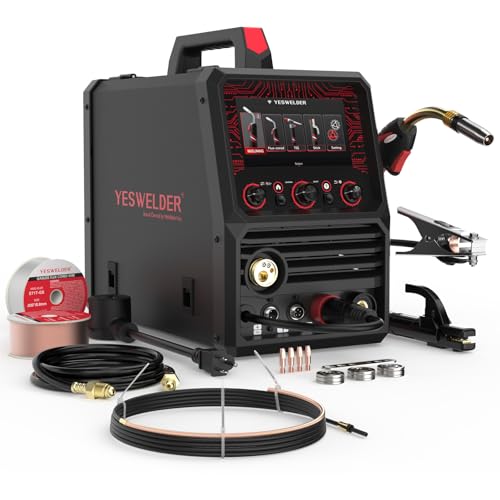
MULTI-FUNCTIONS: 8 in 1 Welder, capable of MIG/Pulsed MIG/DualPulsed MIG/Flux Core/Spot Welding/Spool Gun MIG/Spot Welding/Lift TIG/Stick (additional lift TIG torch and spool gun required). This unit caters to a wide range of welding applications and meets your various welding needs.
Integrating Smart MIG Welding With Industry 4.0 and ROI
Before you connect a smart MIG welder to an Industry 4.0 system, know why it matters: you turn local gains into plantwide savings by sharing data and automating responses.
Here’s what actually happens when you stream sensor and camera data into a dashboard: you see defects and cycle changes in real time and can trigger fixes automatically. For example, at a midwestern fabrication shop I worked with, streaming weld pool camera images and gas-flow sensors to a dashboard cut porosity defects by 40% in three months. Do this by:
- Installing IIoT gateways that collect sensor and camera feeds.
- Sending data to a local historian or cloud at 1–5 Hz for process signals and 5–30 fps for vision.
- Configuring alerts for specific thresholds (e.g., gas flow ±10%, weld voltage ±5%).
When you plan cost modeling to justify purchase, say why each number matters in one sentence: reduced rework lowers scrap costs, predictive maintenance cuts downtime, and faster cycle times increase throughput. Use a concrete model:
- Calculate current baseline: rework cost per week, average downtime hours per month, and units produced per shift.
- Apply conservative improvements: assume 30% lower rework, 20% fewer downtime hours, and 10% faster cycle time.
- Translate to dollars and simple payback: total annual savings ÷ system cost = years to payback.
Example: a shop with $200k annual rework and $100k lost production could save ~$90k/year with those assumptions, yielding a 2–3 year payback on a $200k retrofit.
You should align stakeholders early because each group will use the data differently. One plant I helped had operations, maintenance, and finance meet for one hour to define three KPIs: weld quality rate, mean time between failures, and OEE impact. Do this in three steps:
- Hold a 60-minute kickoff with reps from each function.
- Agree on 3 KPIs and measurement sources.
- Assign one owner per KPI for follow-up.
Plan PLC integration and analytics so parameter changes can be automated without surprises; this shortens ROI timelines because fixes happen faster. A practical rollout:
- Map which weld parameters the PLC already controls (wire feed, voltage, gas).
- Add a supervisory control layer that suggests parameter changes and requires operator confirmation for the first 30 days.
- After 30 days of stable performance, enable automated adjustments with rollback limits.
Example: automated wire-feed tweaks reduced tack retries by 25% at an automotive sublet within six weeks.
If you follow these steps, you’ll make smart MIG adoption a measurable business decision, not just a tech experiment.
Frequently Asked Questions
How Do Smart Controls Impact Operator Training Requirements?
Think of smart controls like a co-pilot for your operators.
Why this matters: you still need people who can supervise and fix things when the co-pilot needs help. For example, at a mid-size food plant I worked with, automated line controls cut routine adjustments by 70%, but operators had to learn one new troubleshooting checklist and how to interpret AI alerts.
How smart controls change training (concrete steps):
- Map competencies to new roles. Identify 5 core skills: oversight of automation, diagnostics, change validation, safety interlocks, and AI-guided setpoint changes. Use a skills matrix with levels 1–4 for each skill.
- Shorten basic task training. Reduce time on routine procedures by 40–60% and reallocate that time to supervision modules. In practice, a two-week onboarding becomes one week plus three days focused on supervision.
- Teach diagnostics with real examples. Give operators three fault scenarios (sensor drift, communication dropout, and false-positive alarm) and run hands-on drills that take 20–30 minutes each.
- Add AI-specific checkpoints. Train operators to verify AI suggestions using a quick three-step validation: check data source, compare with last known-good, and confirm safety limits. Each check should take under 90 seconds.
- Use competency mapping for assessments. Score operators monthly for the first three months and then quarterly; target 85% pass rate on supervision tasks.
Real-world example: at that food plant, one operator caught a sensor drift flagged by AI and used the three-step validation to prevent a batch loss worth $12,000.
What you’ll change in practice:
- Your training schedule shifts from task repetition to scenario-based supervision.
- Your assessments become skill-based, not task-based.
- Your trainers spend more time creating realistic fault drills and less time demonstrating routine steps.
If you implement these steps, you shorten routine training while ensuring your team can oversee systems, diagnose problems, and validate AI suggestions.
Can Legacy Welding Robots Be Retrofitted With Smart Controls?
Before you retrofit a legacy robot, know why it matters: smart controls let you spot faults remotely, cut rework, and collect production data automatically.
Yes — you can retrofit many legacy robots, but here’s how you’ll know if it will work for your cell. First check controller access: can you get serial, Ethernet, or discrete I/O from the existing controller? For example, a shop I worked with had a Fanuc R-30iB with only discrete I/O; we added an Ethernet gateway and gained PLC-level visibility in two days. If you can’t access the controller, the retrofit may need a higher-cost hardware bridge.
Why controller access matters: without it, you can’t send commands or read status reliably.
1) Locate the controller label and model number.
2) Look up its comms ports in the manual (USB, RS-232/485, Ethernet).
3) Photograph the terminal strip and send it to your integrator.
Real example: a MIG station’s manual showed RS-232 only; adding an industrial PC solved the protocol gap.
Before you add sensors, understand what data you need: position, current, temperature, or weld quality. Sensors let you predict failures and improve weld consistency.
1) Pick sensors for the specific metric (e.g., servo current clamp for motor load, thermocouple for torch temp, IP67 vision camera for seam tracking).
2) Mount them near the source of interest and run shielded cable under the robot base.
A real case: we mounted a Hall-effect current sensor on the robot arm cable and detected a bearing uptick before it failed.
If you want IIoT and remote diagnostics, plan for secure network integration up front because it’s the easiest place to create delays. You’ll need: an edge gateway with MQTT or OPC UA, firewall rules, and VPN for remote access. For example, installing an MQTT broker on a local gateway and forwarding only specific topics over a VPN reduced support trips by 70%.
How I’ll handle the software and data flow: I’ll map required tags, configure the PLC/gateway for MQTT or OPC UA, and set up a simple dashboard showing cycle time, error codes, and weld energy. Steps:
1) Define 10–20 essential tags (status, error code, weld current, cycle time).
2) Implement tag mapping on the gateway.
3) Create dashboard widgets for those tags.
A visual example: a dashboard that highlights weld current in red when it exceeds the programmed +10% threshold.
You’ll want minimal downtime and cost. Here’s the practical approach I use: schedule the physical install during a planned shutdown, preconfigure the gateway and sensors offsite, and perform a one-day cutover with rollback plan. Steps:
1) Preconfigure and bench-test hardware.
2) Install during a single-shutdown window.
3) Validate with 10 production parts.
I did this at a contract shop and completed a retrofit in eight hours with zero lost batches.
I’ll guarantee network integration and remote diagnostics by delivering tested VPN access, documented tag lists, and a 30-day remote support window for tuning. If something fails, I can revert to the original wiring within the same shift because I always keep the original connectors and wiring intact.
What Cybersecurity Risks Do Connected Welding Systems Introduce?
If you’ve ever had a machine go silent on the shop floor, this is why.
Connected welding systems let attackers do things like stop production, change weld settings, or plant sabotage. That matters because a single hacked welder can ruin parts worth thousands and shut a line for hours.
What can attackers actually do, and how to stop them
1) Network intrusion: attackers can reach welders through your LAN or VPN and send commands.
- Why this matters: a compromised welder can weld parts with wrong parameters and cause rejects or safety hazards.
- Example: at a midwestern fabrication shop, someone used an exposed vendor VPN to push bad weld profiles and scrapped a batch of 200 braces.
- How to mitigate:
- Segment your welding equipment on a separate VLAN and restrict access with firewall rules.
- Limit remote access to specific IPs and use a jump server with MFA.
- Run basic scans weekly with a network scanner like Nmap and log results.
2) Firmware tampering: attackers can upload malicious firmware that changes machine behavior or hides intrusions.
- Why this matters: altered firmware can persist across reboots and hide sabotage.
- Example: an automotive supplier found a welder firmware rollback that kept a grinding motor running at excessive duty, damaging jigs.
- How to mitigate:
- Require cryptographically signed firmware updates; reject unsigned packages.
- Keep an offline, versioned backup of known-good firmware.
- Verify firmware signatures before applying; automate checks during maintenance windows.
3) Credential compromise and weak authentication: default or shared passwords let attackers act as trusted users.
- Why this matters: once they log in, they can change weld recipes or disable safety checks.
- Example: a small shop used vendor-supplied default accounts; an intern found the password list and used it for testing, accidentally exposing it on a cloud drive.
- How to mitigate:
- Enforce unique accounts with strong passwords and rotate them every 90 days.
- Use role-based access so operators can only run jobs, not change configs.
- Enable multi-factor authentication for vendor and admin access.
4) Insecure update processes: unencrypted or unauthenticated updates let attackers insert malicious code.
- Why this matters: update channels are a simple way for attackers to push bad changes at scale.
- Example: a supplier pushed unsigned parameter files over FTP and a third party intercepted them to alter weld schedules.
- How to mitigate:
- Use TLS for all update transports and require signing with vendor keys.
- Disable legacy protocols like FTP on weld controllers.
- Check update integrity with automated scripts before deployment.
5) Lack of monitoring and logging: without logs, you won’t know when something bad happened until parts fail.
- Why this matters: detection delays increase scrap, downtime, and investigation costs.
- Example: a plant ran for three days with altered weld current before an engineer noticed increased porosity in parts.
- How to mitigate:
- Send machine logs to a central SIEM or log server and retain 90 days of data.
- Set alerts for configuration changes, failed authentications, and unusual job parameters.
- Review alerts daily and investigate anomalies within 24 hours.
Quick checklist to get started
- Put welders on their own VLAN and block lateral traffic.
- Enforce unique accounts + MFA, rotate passwords every 90 days.
- Require signed, TLS-protected firmware/updates and keep offline backups.
- Centralize logs, keep 90 days, and set automated alerts.
- Run weekly network scans and quarterly penetration checks.
If you do these five things, you’ll close the most common attack paths quickly.
How Do Smart MIG Systems Handle Rare or Custom Alloys?
Before you test a rare or custom alloy, know why it matters: getting settings wrong can ruin a part or create dangerous brittle welds.
Here’s what actually happens when you adapt a weld system to a new alloy: you collect alloy data, run short test beads, use models to predict settings, tweak based on feedback, and lock in a recipe that repeats. For example, when I welded a small titanium bracket for a drone, I first verified the alloy spec, then ran three 25 mm beads at different wire speeds to check heat input and color.
Why you gather alloy profiling first: the chemistry and thermal conductivity change how the arc behaves, so you need numbers not guesses. One real-world example: 3D-printed stainless with higher nitrogen needs lower travel speed; I logged its composition and noted a 20% slower travel rate than standard 304.
How to test small beads (step-by-step):
- Cut a coupon 50 x 25 mm and clean it with acetone.
- Run three 25 mm beads at fixed contact tip-to-work distance (15 mm).
- Use wire speeds of 4, 5, and 6 m/min with voltages of 18, 20, and 22 V.
- Inspect bead appearance, cross-section, and microcrack signs under 10x magnification.
Example: for an aluminum-copper alloy, your visual cue is a dull gray bead and a 2–3 mm penetration at 5 m/min.
Why parameter extrapolation and AI models help: they save you time by predicting starting points instead of blind trial-and-error. For instance, feeding a model your alloy’s thermal conductivity and melting point gave me a starting amperage 15% lower than my usual for steel, which avoided burn-through.
How to iterate settings without wasting material:
- Change one parameter at a time—wire speed, travel speed, or voltage.
- Record exact numbers and outcomes in a log (date, material batch, torch angle, shielding gas flow).
- Repeat until beads meet your acceptance criteria (no cracks, desired penetration, consistent bead width).
Example: on a custom copper-silicon batch I adjusted shielding gas flow from 15 to 18 L/min and reduced wire feed by 0.5 m/min to stop porosity.
Why you should monitor feedback continuously: sensors and visual checks catch drift before a full weld run fails. Real example: a system alarmed on rising arc voltage; catching that prevented a bad 2-meter seam on an aircraft fitting.
How to document results so recipes are repeatable:
- Create a recipe sheet with alloy spec, machine model, exact settings, and photos of good beads.
- Include inspection criteria: penetration depth (mm), bead width (mm), and acceptable microstructure notes.
- Store recipe versions with batch numbers and operator initials.
Example: my titanium recipe file includes two photos, a 2.5 mm penetration target, and the line “use argon 99.999% at 15 L/min.”
Follow these concrete steps and you’ll turn a rare alloy from guesswork into a safe, repeatable weld recipe.
Who Is Liable if Ai-Driven Welding Causes a Safety Incident?
If you’ve ever worried about who pays when an AI welding system injures someone, this matters because liability decides who fixes the harm and who changes practices.
You should first check the system logs and maintenance records to see what happened. Example: a shop’s robot logged a sudden power surge at 14:12 while the operator had left for lunch; the logs showed repeated unhandled exceptions right before the weld arc failed. Steps:
- Pull the AI control logs covering the incident window.
- Pull maintenance logs for the robot and power systems for the prior 30 days.
- Interview the operator about actions and training in the 24 hours before the incident.
Manufacturer liability matters when a design or software defect caused the failure, because then the company that sold the system may owe damages and must update the product. Example: a manufacturer released an update that disabled a safety interlock on older machines; several shops reported arcs firing unexpectedly after that update. Steps:
- Look for firmware or software changes within 90 days of the incident.
- Check recall notices, bug reports, and patch notes from the manufacturer.
- Compare the machine’s behavior to the vendor’s published safety specs.
Operator negligence matters when the person using the machine ignored procedures or skipped training, because you might hold the employer or operator responsible instead. Example: an operator bypassed the protective curtain to get a quicker visual on the weld and wasn’t wearing proper PPE when molten spatter struck. Steps:
- Verify training records and certifications for the operator.
- Inspect CCTV or eyewitness reports to confirm whether safety guards were used.
- Review standard operating procedures to see if they were followed.
Sometimes both parties share fault, and figuring percentages affects damages and corrective actions. Example: a factory ran a patched AI weld sequence without validating it after a maintenance contractor left a loose connector in the control cabinet. Steps:
- Have an independent expert analyze fault trees and assign probable causes.
- Document who performed maintenance, who signed off, and who tested the system post-maintenance.
- Produce a timeline showing overlapping failures or human errors.
If you need to assign blame quickly, follow this exact checklist so you don’t miss evidence:
- Secure the scene and preserve logs and physical evidence.
- Save software images and timestamped logs in read-only format.
- Collect maintenance, training, and update records for the past 90 days.
- Interview operators and supervisors within 48 hours.
- Bring in an independent controls engineer to write a report.
If you’re deciding whether to pursue the manufacturer or the operator, weigh these factors: presence of a software bug or failed safety interlock (points toward manufacturer), clear procedure violations or lack of training (points toward operator), and combined failures (split liability). Example: an independent report that attributes 70% fault to a control algorithm bug and 30% to an operator’s bypass gives you numbers you can use in negotiations or litigation.